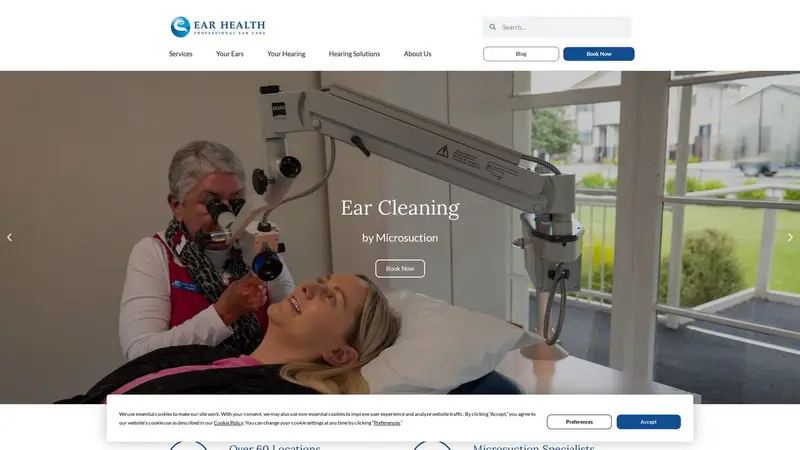
Homepage of earhealth.co.nz

Website report

Ear Health

earhealth.co.nz · Auckland

Assessed 19 October 2026. Part of our assessment of New Zealand websites.

C

Passes 15 of 21 checks

Checks we could not read are left out of the count.

The mirror

An AI read your website. Here's what it understood.

Ear Health is a New Zealand healthcare provider offering earwax removal by microsuction, audiology services, hearing tests, and hearing aid fitting. The business operates clinics in over 60 locations across the country, with a head office in Auckland.
  • Not found Phone number findable
  • Not found Email address findable
  • Found Address findable
  • Not found Contact form findable

What to fix

Most important first.

Phone number findable

AI Readiness Quick

We found no phone number on your homepage - an AI assistant asked for your number would come up empty.

Why it matters: People and AI assistants look for a number to call; if it is not on the page, the call goes to someone else.

How to fix it: Put your phone number on the homepage as text, ideally as a tap-to-call link.

Always-secure instruction (HSTS)

Domain & Security Technical

Your site does not tell browsers to always use the secure connection.

Why it matters: Without this instruction, a browser may still try the insecure address first, which leaves room for the connection to be tampered with.

How to fix it: Ask your developer or host to add the Strict-Transport-Security header once HTTPS works on every page.

AI guide file (llms.txt)

AI Readiness Quick

Your site does not publish an llms.txt file.

Why it matters: An llms.txt file is a short, plain summary of your business and key pages that AI assistants can read quickly and quote accurately.

How to fix it: Create a text file at /llms.txt with a one-paragraph description of your business and links to your most important pages.

Sitemap available

AI Readiness Quick

We found no sitemap for your site.

Why it matters: A sitemap lists every page you want found, so search engines and AI assistants do not miss the ones buried deep in your site.

How to fix it: Most website builders create a sitemap automatically; turn it on and list it in your robots.txt.

Email address findable

AI Readiness Quick

We found no email address on your homepage.

Why it matters: An address people can copy or tap is the simplest way for a customer to get in touch on their own time.

How to fix it: Add your contact email to the homepage as text or a mailto link.

Contact form findable

AI Readiness Quick

We found no contact form on your homepage.

Why it matters: A form lets a customer reach you at any hour without picking up the phone.

How to fix it: Add a simple contact form, or a clear link to one, on your homepage.
Domain & Security

6 of 7 checks passed

  • Pass

    Secure connection (HTTPS)

    Your homepage loads over a secure connection (https://www.earhealth.co.nz/).

  • Pass

    Valid security certificate

    Your site presents a valid security certificate.

  • Pass

    Certificate not about to expire

    Your certificate runs until 2026-11-28, well past our check on 2026-10-19.

  • Fail

    Always-secure instruction (HSTS)

    Your site does not tell browsers to always use the secure connection.

  • Not read

    Security headers

    We could not read this part of your site.

  • Pass

    Email sender record (SPF)

    Your domain publishes an SPF record listing who may send its email.

  • Pass

    Email protection policy (DMARC)

    Your domain publishes a DMARC policy.

  • Pass

    Domain receives email

    Your domain is set up to receive email.

AI Readiness

9 of 14 checks passed

  • Fail

    AI guide file (llms.txt)

    Your site does not publish an llms.txt file.

  • Pass

    Search and AI crawlers allowed

    Your site lets search engines and AI assistants read it.

  • Fail

    Sitemap available

    We found no sitemap for your site.

  • Pass

    Structured data

    Your homepage carries structured data (Answer, Article, FAQPage, ImageObject, Organization, Person, Question, SearchAction, WebPage, WebSite).

  • Pass

    Business described as a business

    Your structured data describes you as a business or organisation.

  • Pass

    Homepage title

    Your homepage has a title.

  • Pass

    Homepage description

    Your homepage has a meta description.

  • Pass

    One main heading

    Your homepage has a single main heading.

  • Pass

    Language declared

    Your homepage declares its language.

  • Pass

    Link preview when shared

    Your homepage has the tags for a full preview when it is shared.

  • Fail

    Phone number findable

    We found no phone number on your homepage - an AI assistant asked for your number would come up empty.

  • Fail

    Email address findable

    We found no email address on your homepage.

  • Pass

    Address findable

    We found an address on your homepage.

  • Fail

    Contact form findable

    We found no contact form on your homepage.

We already know your market

See where your business stands against its competitors - free.

My branch isn't here - we'll scrape your market for $7.

Assessed 19 October 2026 How we check websites Remove this report